• This site looks and works best in dark mode - the icon to switch is at the bottom left corner of the page.
  • Thank you for stopping in to check us out! Please register and join us here in the bunker today
  • If you aren't getting activation emails or other email from the forum, check your spam folder or use the contact link below
  • These messages go away when you sign up

Dark/Light Button

GRIZZ0317

Member
Joined
May 23, 2026
Messages
25
Reaction score
46
I see the notice about the Light/Dark mode button being at the bottom left of the page, but I don't have that a button down there.
 
You have to be on the Home/Forums page to see it. It is in the footer.

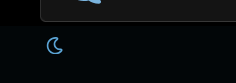
It is hard to miss because it is so tiny but it is either a little sun or a moon.

1780193980637.png

You should only see that message to switch if you aren't logged in so I will have to investigate.

I don't recommend light mode at this time but understand it may be easier to see for some. Things won't look correctly or be out of place like quotes or light colored text and it is sterile and lacking atmosphere. When I have time I am going to tone down the brightness to make the light and dark modes more compatible. Some of the available settings are unique to each mode but some are common so care is needed not to screw up one or the other when making changes.

The first setting in the preferences section of your profile is where you can set your default. (but don't go into the light!) lol 👻
 
Last edited by a moderator:
Back
Top Bottom